Set Up
Install Metamask
Get to the Chrome web store extensions section and search MetaMask
Here is a short video on how you may set up your MetamaskAdd Token
Click on “Add Token” on the bottom on the same page.
Fill in Token Contract Address with: 0xb41E0D7463F11D3e772C8B3aD3b9bea6DAb03D62
And you will see the Token Symbol and Token Decimal have been automatically filled in once the Token Contract Address has been filled.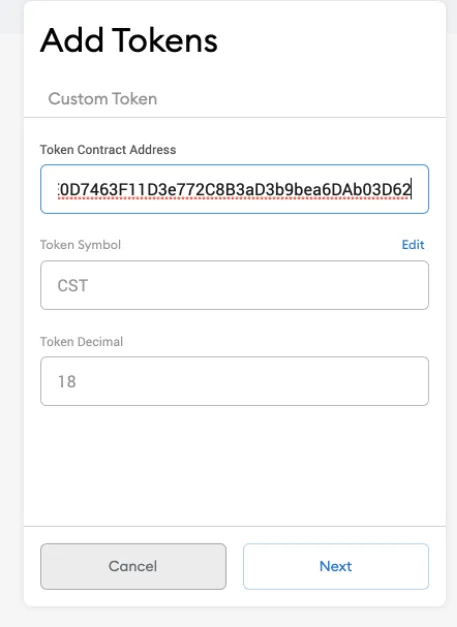
Click on “next” and “Add Tokens” ->
Email Account
Click on “Account 1” to copy your address
Then send your account address to [email protected] so that we can grant your access to Columbia Prediction Markets!Get Rinkeby Ether
To start playing on our Network, you need to get some free ether from Rinkeby Faucet
Signup
1)Open Page
Use google chrome to open the signup page:
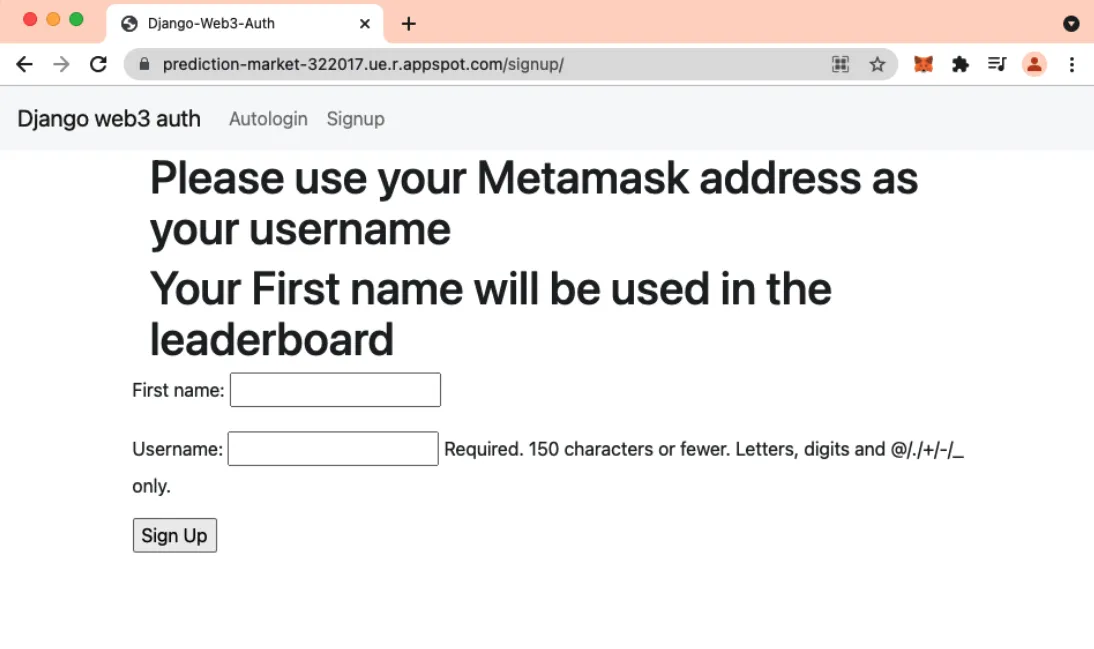
First name: any name you pick
Username: your account address, e.g., ‘0xC05C37af4E964BF7b2c1B14f61715491724917fF’
2)Redirect
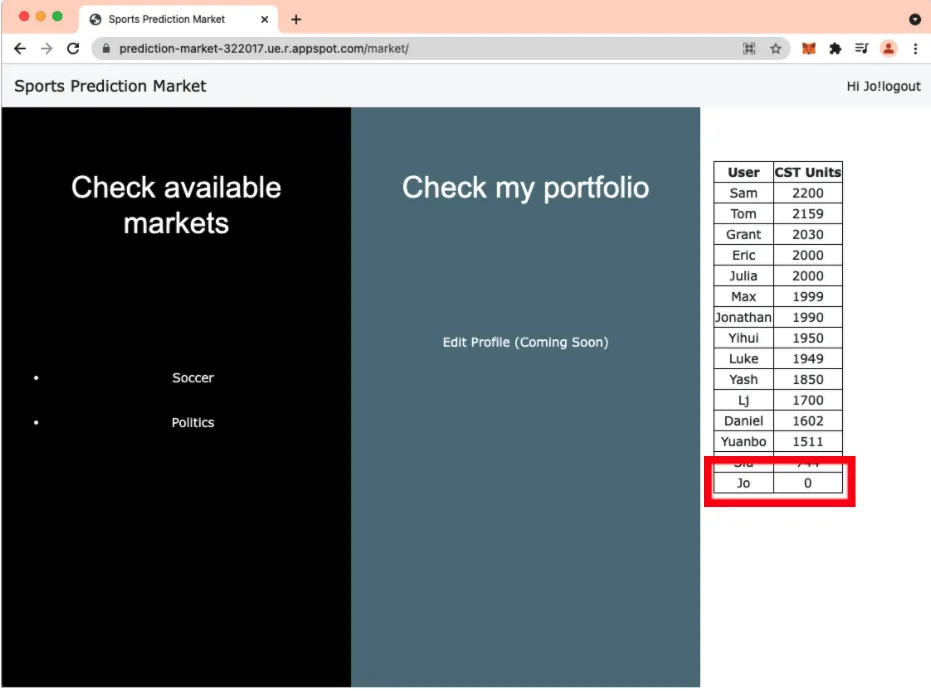
After you click on “Sign up”, it will redirect you to ‘Sports Prediction Market’ home page:
https://prediction-market-322017.ue.r.appspot.com/market/
You will see your current CST is 0. Once your current CST is above 0, you are ready to trade.
3) Connect Metamask to the site
- Click on Metamask to the right of Chrome’s Omnibox of your browser
- Click on “Ethereum Mainnet” at the upper right-hand corner and select the “Rinkeby Test Network”
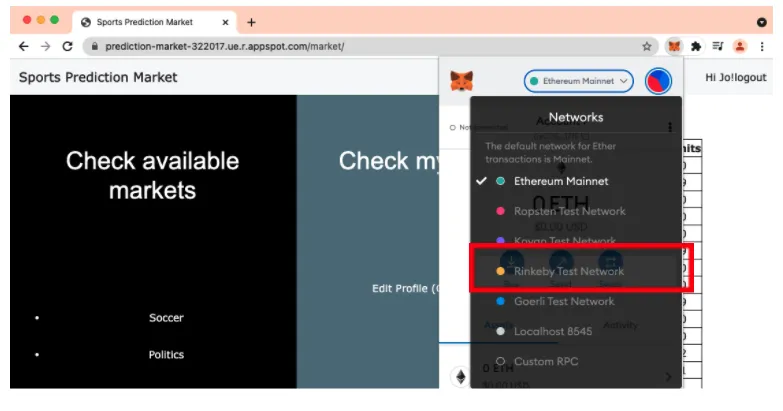
4) Connect Site
Click on three vertical dots to the right your Account 1, select Connected sites, and click on “Manually connect to current site”, click on “Next” and “Connect”
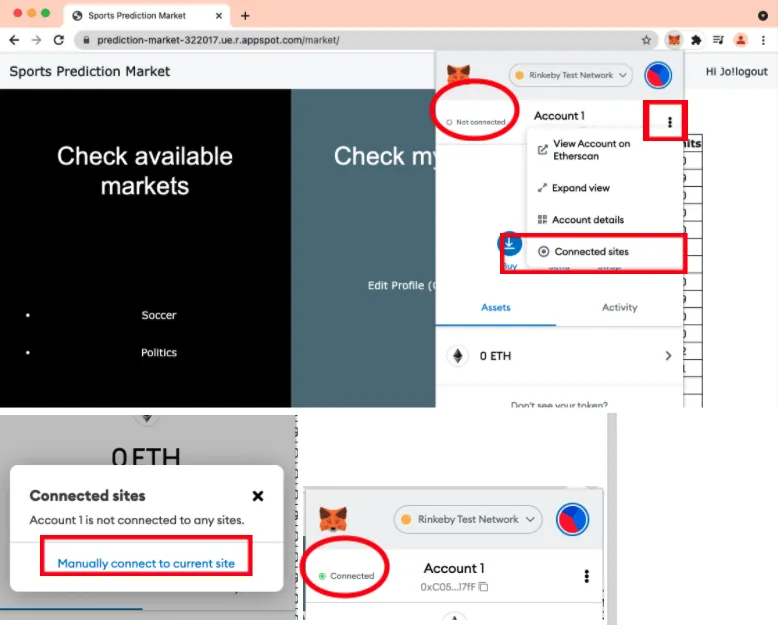
Trade
Once you see 1ETH and 0.000000...CST in your metamask and your CST is above 0 on the leaderboard, you are now ready to trade.
We have multiple trading markets available, and in this tutorial we will use soccer market prediction as an example.
1) Click on Soccer
2) Click on [La Liga] Rayo vs FCB
3a) Approve Buy
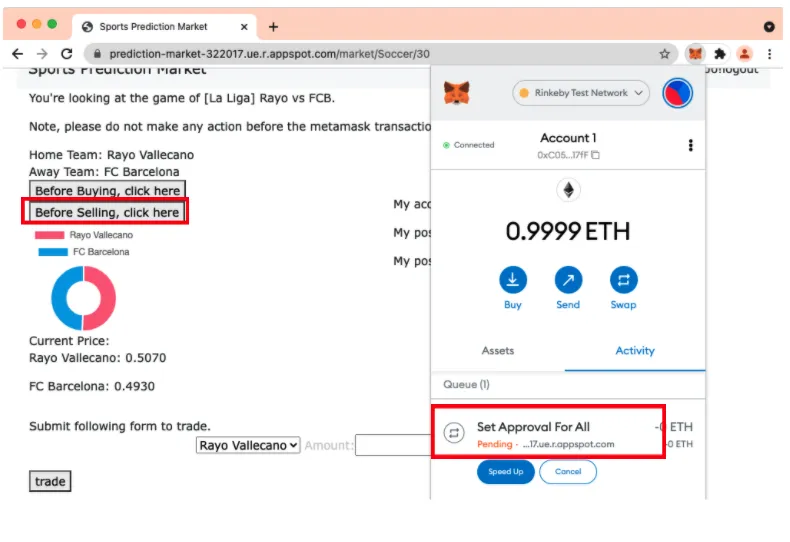
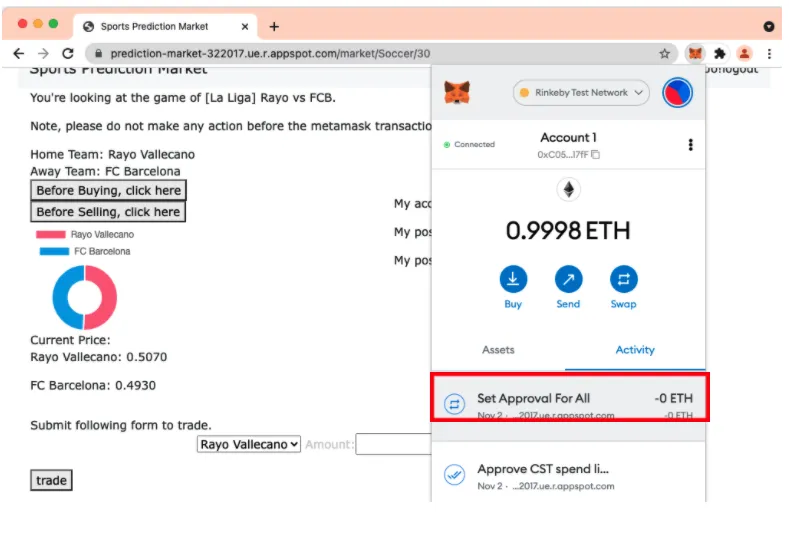
Click on ‘Before Buying, click here’, metamask will pop out automatically, and click ‘confirm’ to build a transaction channel from metamask to market, wait until ‘Pending’ disappears.
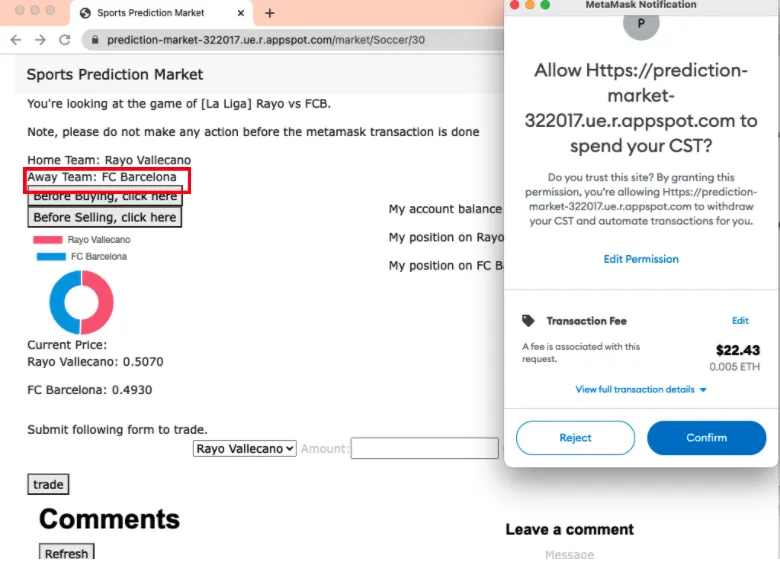
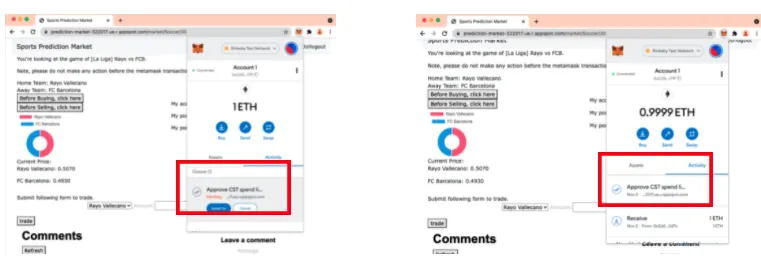
3b) Approve Sell
Click on ‘Before Selling, click here’, metamask will pop out and click confirm to build a transaction channel from market to metamask, wait until ‘Pending’ disappears.
4) Buy or Sell
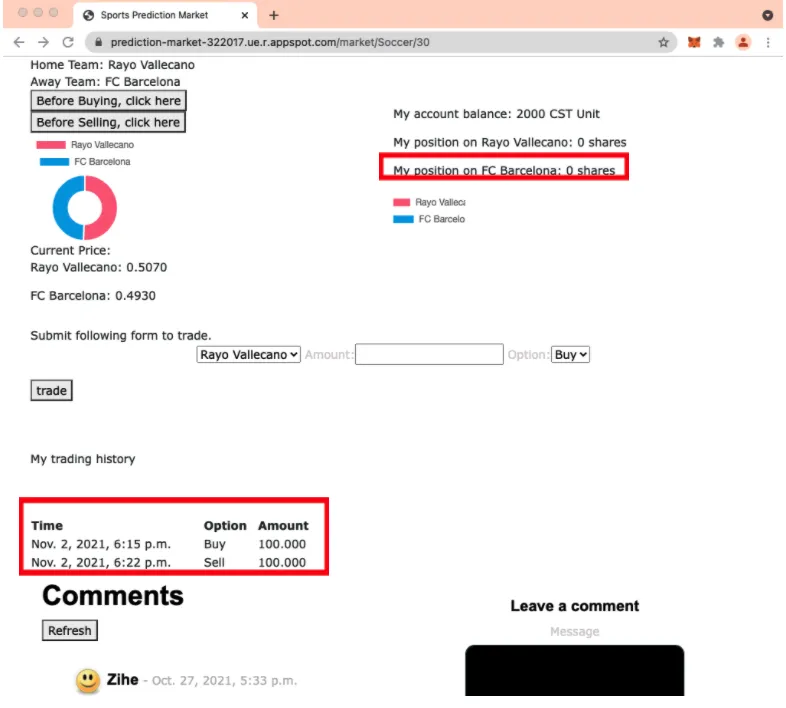
As you can see in the left panel under the pie chart, Rayo Valecano’s current price is: 0.5070 and FC Barcelona’s price is 0.4930 and Jo has 2000 CST, 0 share of Rayo Vallecano, and 0 share of FC Barcelona shown in the right panel.
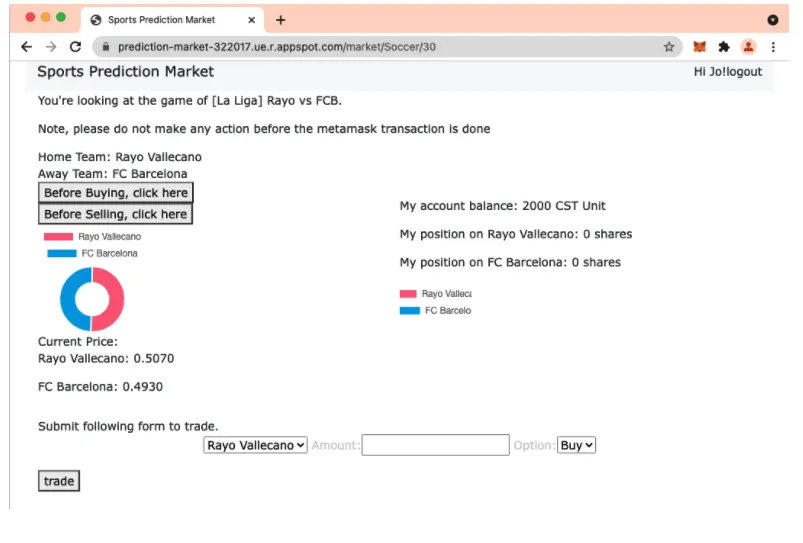
You can buy any shares and you can sell shares you own. The total buy price should be less than what is in your account. Otherwise, the transaction will fail. For example, Buy 100 shares of FC Barcelona.
Select “FC Barcelona”, fill in “100” shares, select ‘buy, and click on ‘trade’. Note that after ‘Buy’ has been selected, current cost: 49 CST unit will show up which is calculated by market automatically: 100*0.4930 CST + transaction fee = 49 CST
Once the ‘trade’ button has been clicked, Metamask would pop up automatically, click on ‘Confirm’ to sign your signature.
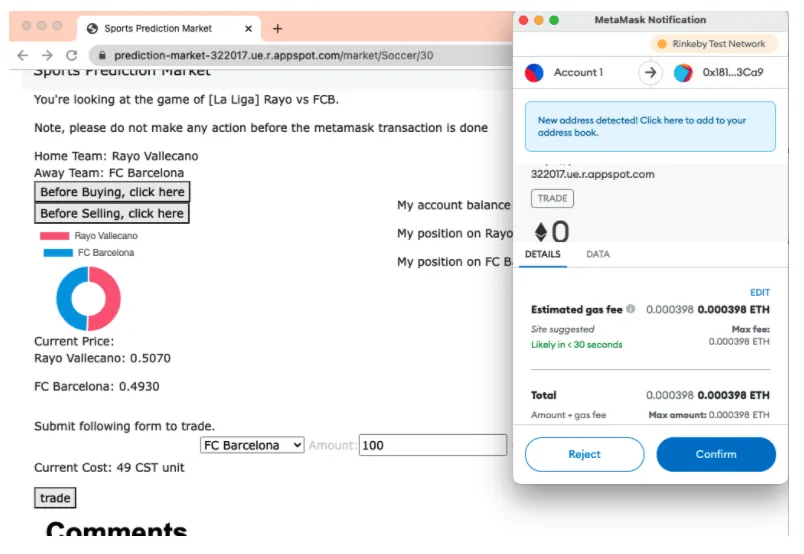
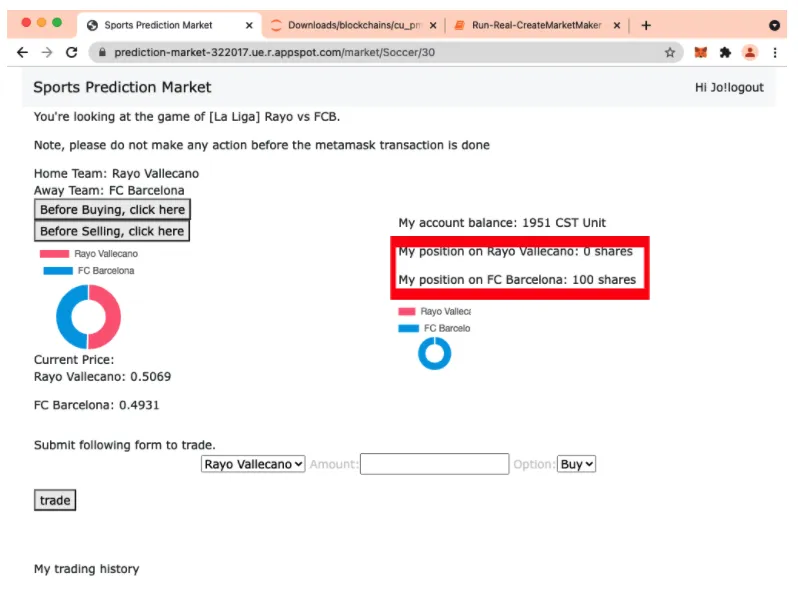
Please click on “Metamask” to check the status of your transaction. Once ‘Pending’ under “Trade” disappeared, you will see that you own 100 shares of FC Barcelona.
You will see your buy record under “my trading history”
Comment
You should be able to see other people’s comments and respond to them, too. Comments could be like the price at .51 is too high, since I think that the star player (xxx) is injured and can’t play. Or, weather is pretty bad and the team doesn’t do well if that is the case, etc.